

Every NetSuite order and estimate, on the customer's record
AshwoodCRM reads your NetSuite orders and estimates every night and shows them on each customer's record. Your salespeople see what a customer ordered and what is quoted, in the place they already make their calls.
What the sync reads
NetSuite customers
Each NetSuite customer with an order is added to your NetSuite customers list and linked to its organization or contact.
Sales orders
Each order shows on the customer's record with its number, date and total.
Estimates
Each open estimate shows beside the orders.
The sync runs every night and reads new and changed records. AshwoodCRM reads from NetSuite and never writes to it.
Open an order and see its lines
Select an order or an estimate to see its lines, quantities and amounts.
Each salesperson sees their own customers
My Customers lists the customers each salesperson looks after, and you can sort them by their last order.
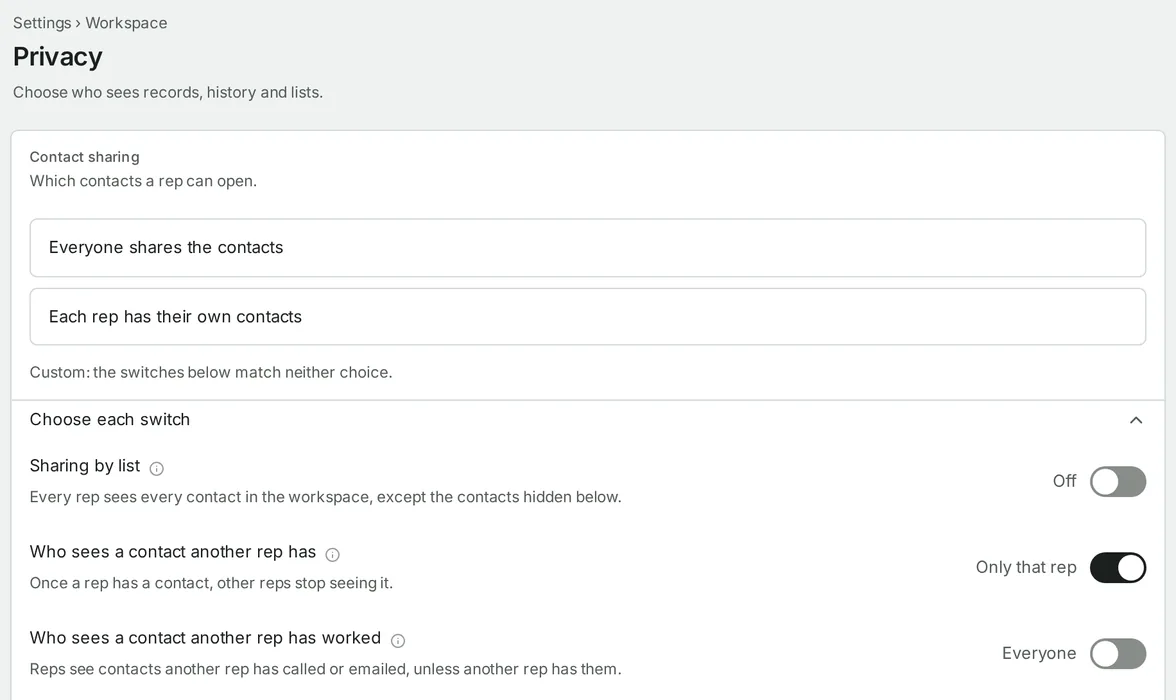
Orders follow your sharing settings
An order on a customer's record follows the same sharing rules as their calls and emails. An admin chooses what each person can see.
We connect NetSuite for you
Your NetSuite administrator creates an integration record and sends us its IDs, and we connect it for you. We also match each sales rep named in NetSuite to a salesperson in your workspace. The first sync reads your customers, orders and estimates. Each night after that, it reads what changed.
Questions
Does AshwoodCRM change anything in NetSuite?
No. It reads customers, orders and estimates. It never writes to NetSuite.
How often does it sync?
Every night.
Do salespeople need a NetSuite login?
Not to see orders and estimates. They need one only to enter or change an order.
Do we need NetSuite to use AshwoodCRM?
No. NetSuite is optional.
Read next
- For mail houses
The CRM for the company that runs the mail.
- For commercial printers
For printers whose salespeople sell by phone and email.